
How it works
How Incentivizer® works
Configure. Launch. Engage. Reward. Your next channel incentive, live in 48 hours.
The process
From setup to results

Choose the plan that matches your program, then launch on a branded platform.
14 day free trial available.
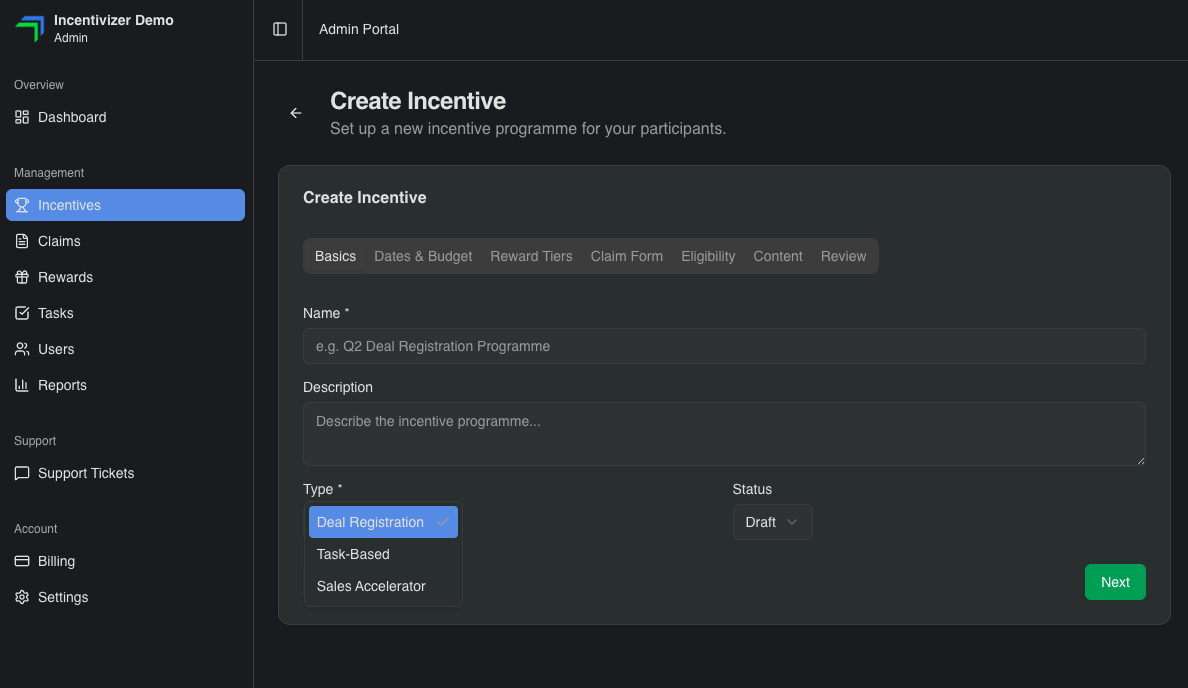
Select from Deal Registration, Sales Accelerator or Task-Based incentive designs and configure your incentive.
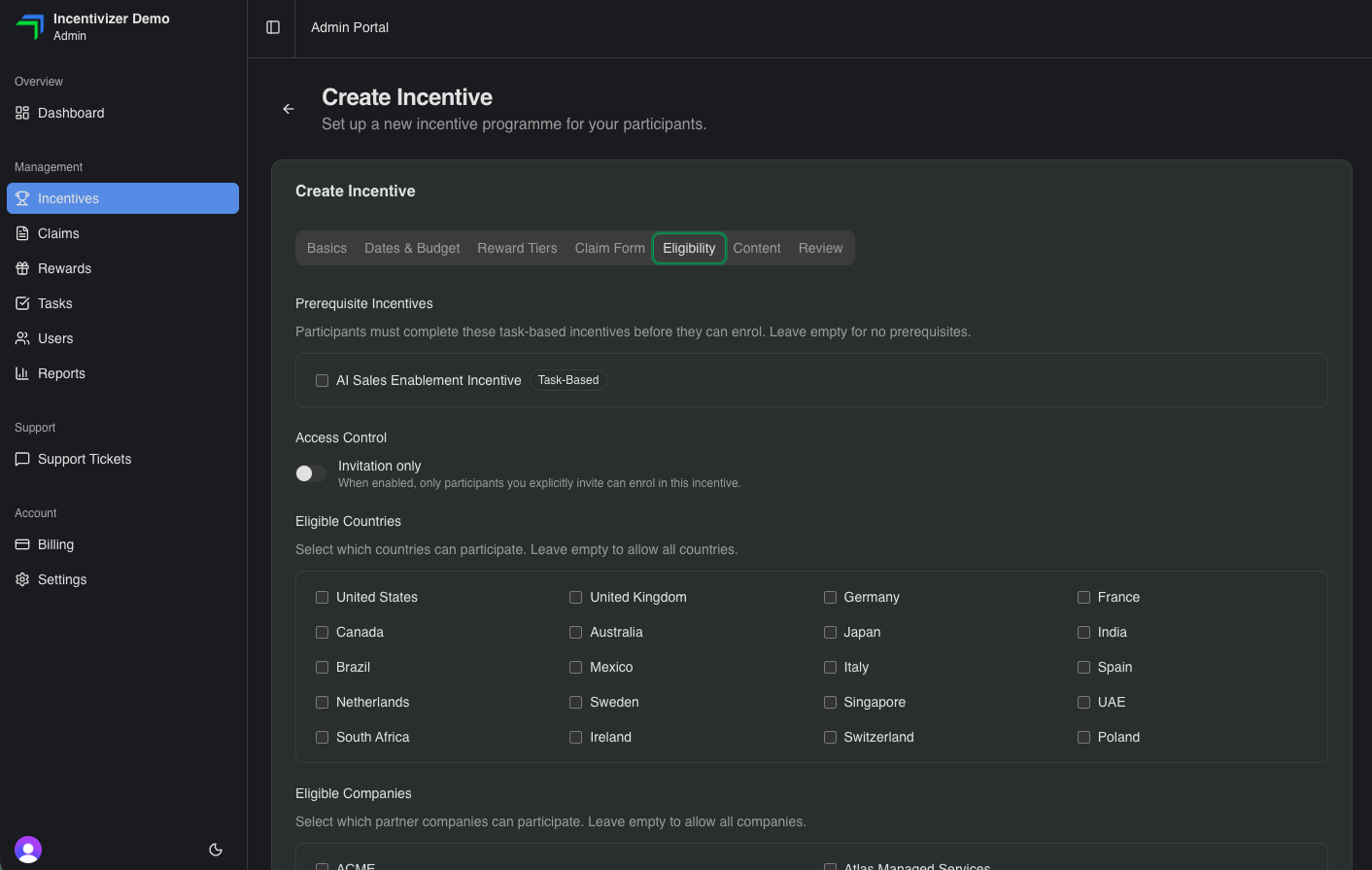
Add your T&Cs. Set eligible products, deal values, geographies, reward tiers and key dates. Create your claim form using standard and custom fields.
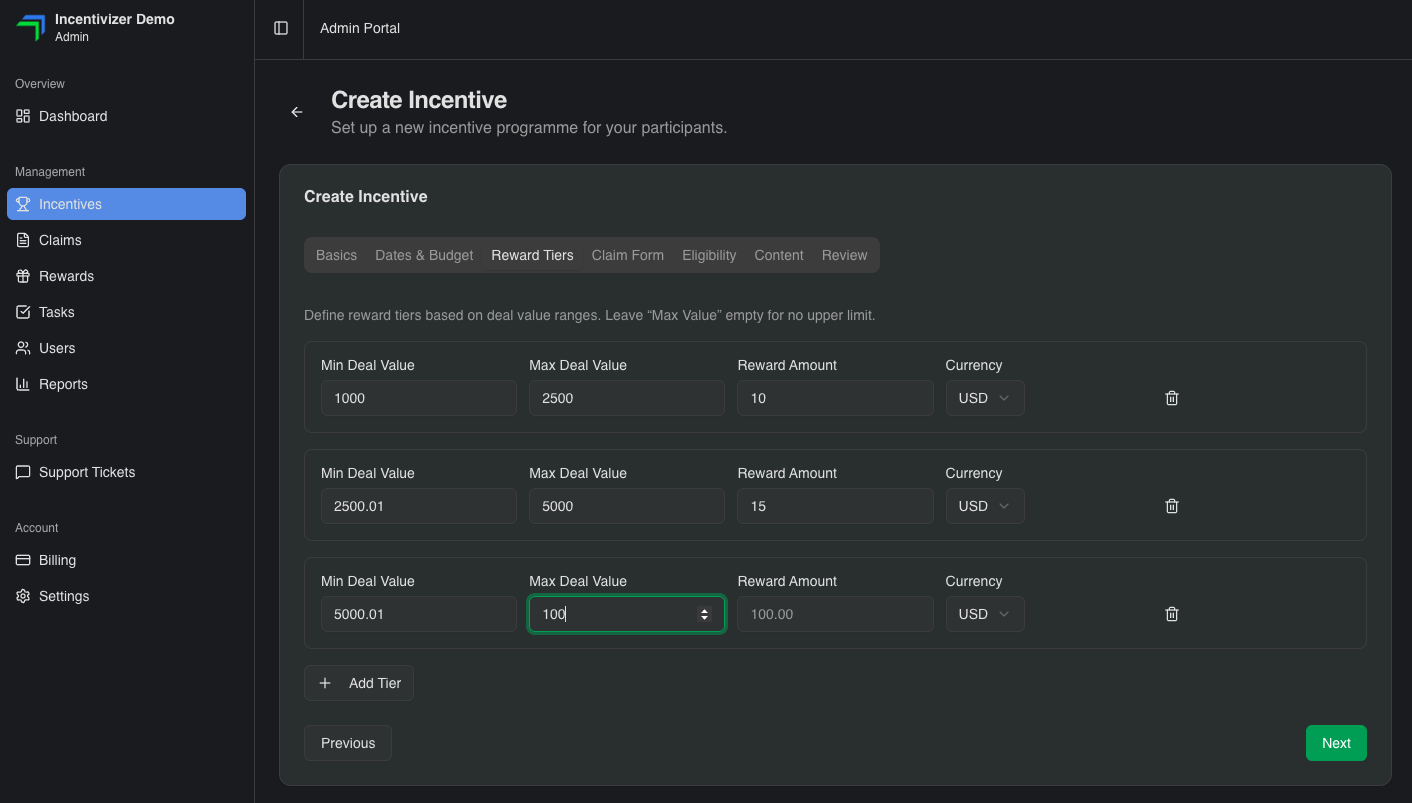
Decide what reward value participants earn when they meet your criteria. Set fixed amounts or tiered structures that scale with deal value, so the reward reflects commercial impact.

Drive participation. Share the incentive link with partners by email, on your partner portal and social channels.
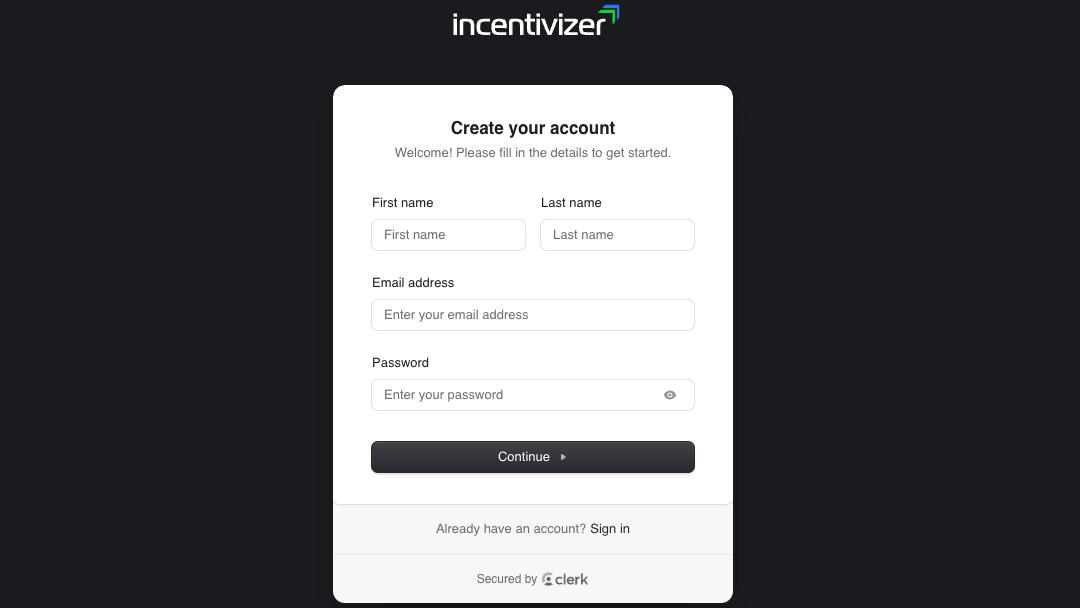
Partners register on your branded platform and accept your terms and conditions to gain access.
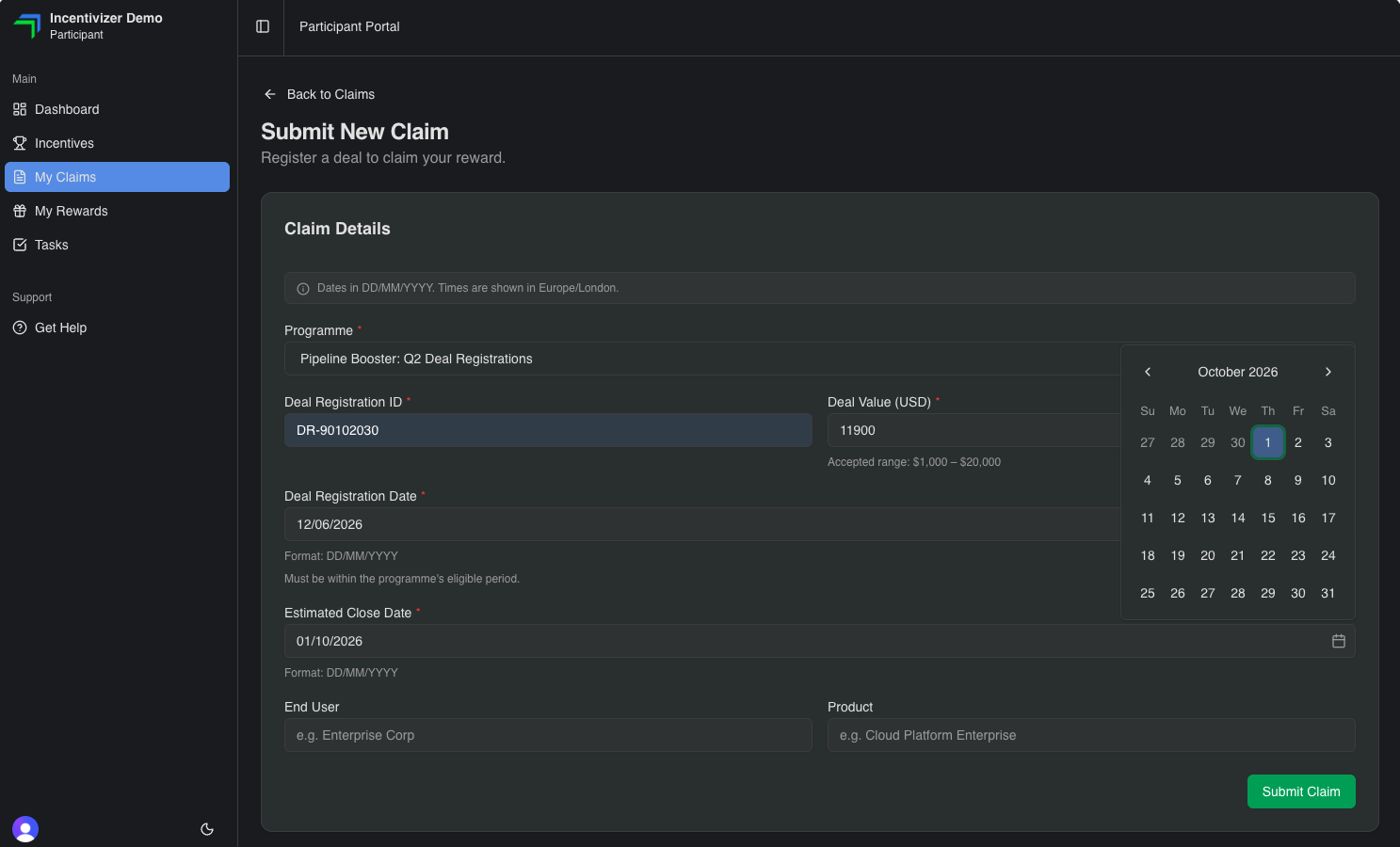
Partners submit claims for qualifying deals or activities for you to review and approve (or reject).
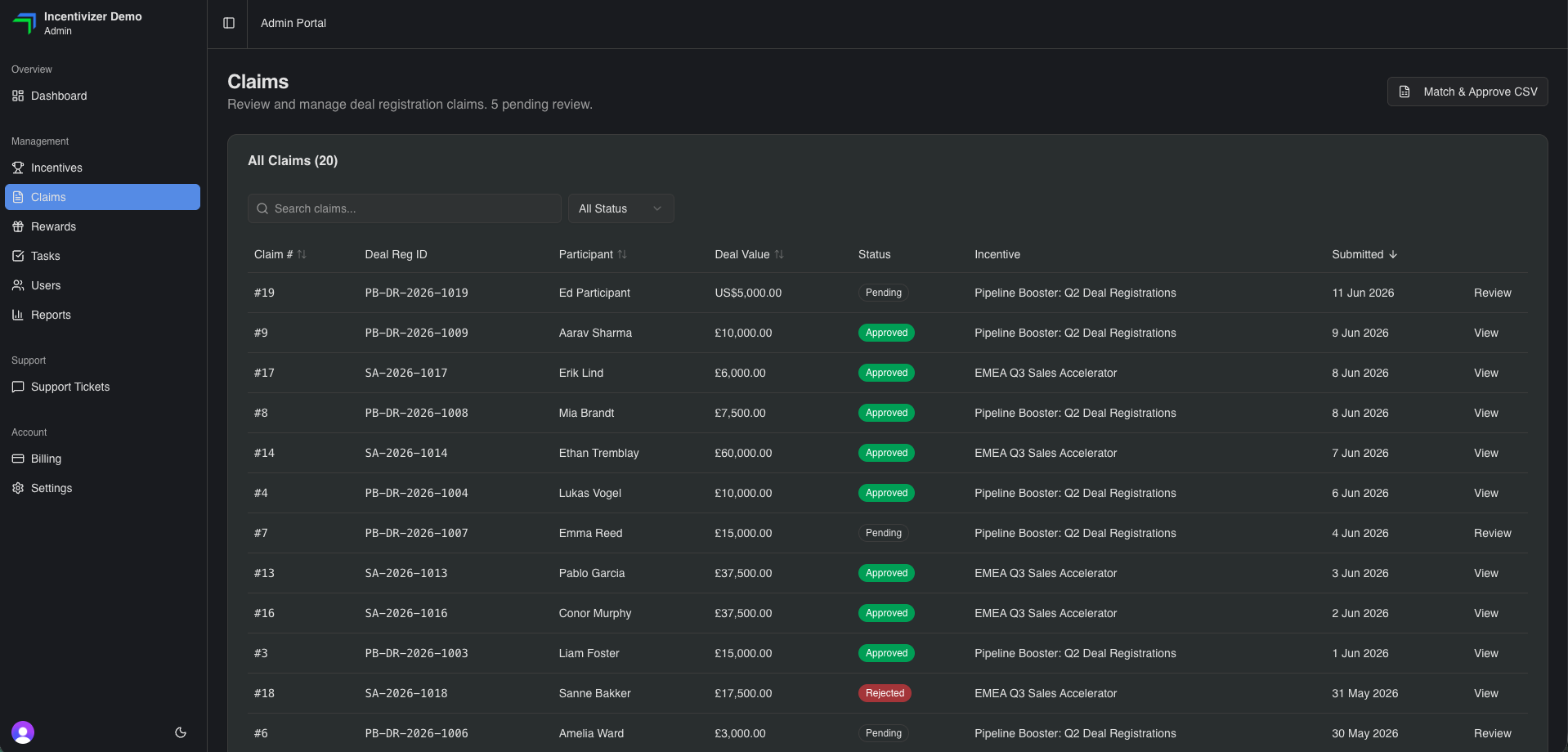
Admins approve or decline claims with a single click, or process in bulk with CSV file upload verification.
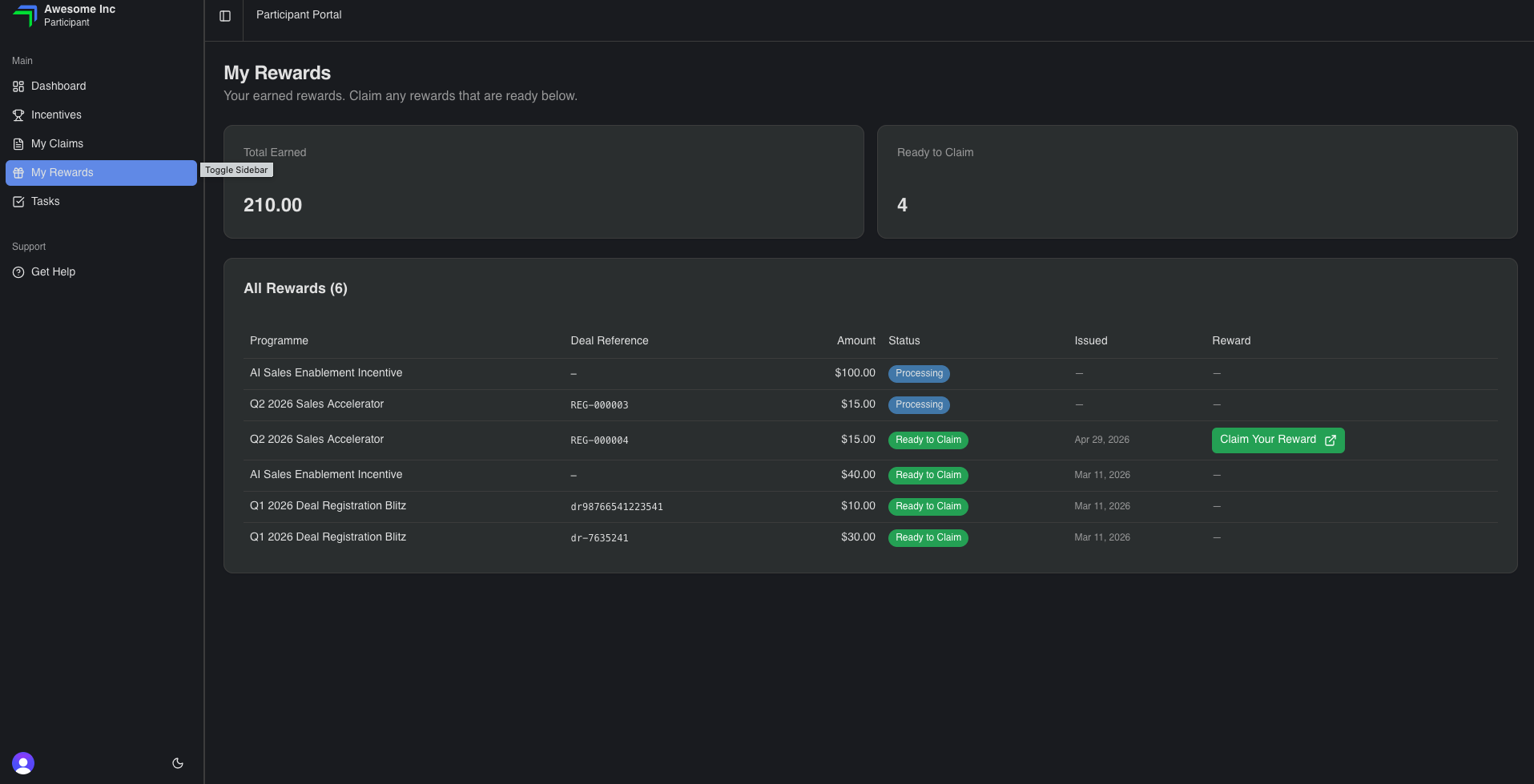
On approval, the reward is delivered to the partner instantly through a secure redemption link directly within the platform.
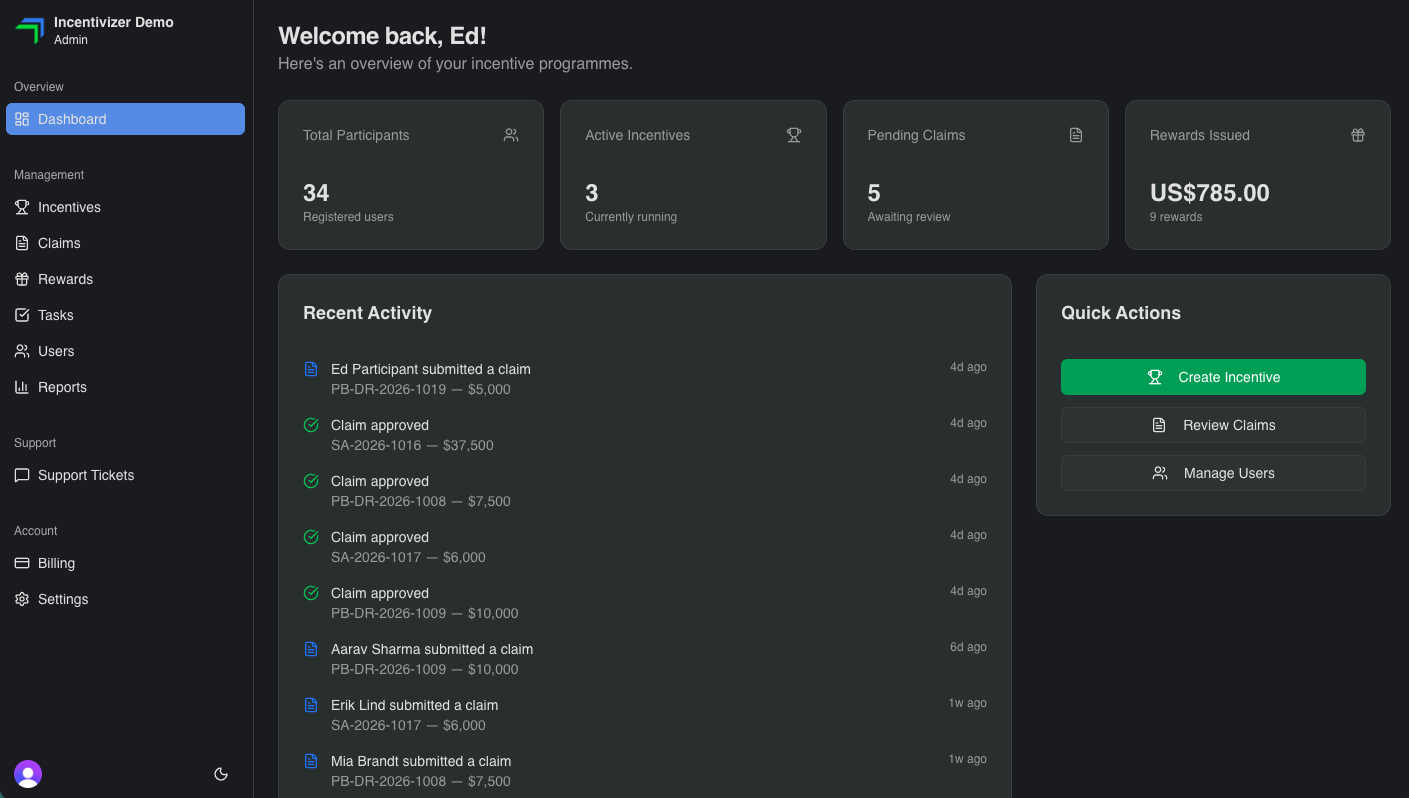
Track registrations, claims, approvals and reward spend from one dashboard.
Ready to get started?
Your next channel incentive can be live in 48 hours.